
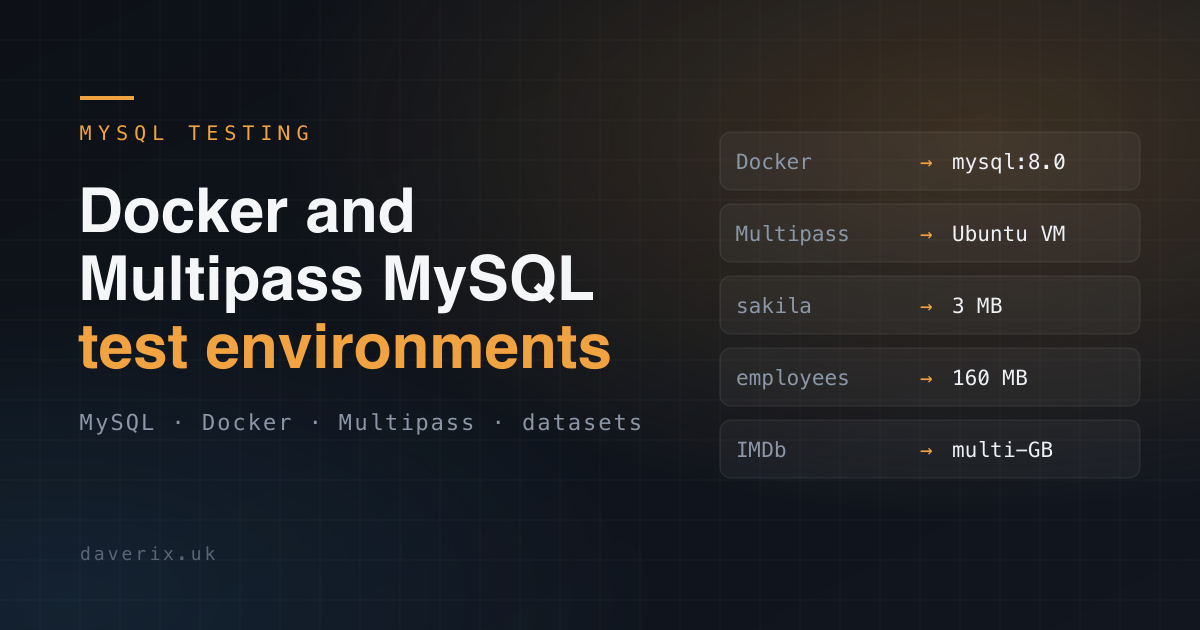
This post was originally published in 2019 and has been refreshed with more modern content and best practices. It combines the earlier posts on “Docker-based MySQL Test Environment“ and “Docker-based Multiple MySQL“, and adds a Multipass-based alternative alongside updated MySQL versions and a structured set of test datasets.
When testing MySQL configuration changes, evaluating version upgrades, or experimenting with tuning, you need an environment that is isolated, repeatable, and disposable. This post covers two approaches: Docker and Multipass. Both give you a clean MySQL instance in minutes. Pick the one that fits your workflow.
Docker approach
Docker is the fastest way to spin up a MySQL instance. The data directory is persisted on the host so your data survives a container rebuild.
Folder structure
$ mkdir -p mysql-test/data/mysql
$ cd mysql-test
docker-compose.yml
Create docker-compose.yml in the mysql-test folder:
version: '3.8'
services:
  mysql:
    image: mysql:8.0
    container_name: mysql_test
    volumes:
      - ./data/mysql:/var/lib/mysql
    environment:
      - MYSQL_ROOT_PASSWORD=secret
    ports:
      - "3306:3306"
    command: --default-authentication-plugin=mysql_native_password
To test a specific MySQL version, change mysql:8.0 to any available tag — mysql:8.4, mysql:8.0.32, mysql:5.7. This is the core of upgrade testing: swap the image tag, restart the container, verify the data.
Start and connect
# Start the container
$ docker-compose up -d

# Confirm it is running
$ docker container ls
CONTAINER ID  IMAGE      COMMAND                 CREATED        STATUS        PORTS                   NAMES
abc123456789  mysql:8.0  "docker-entrypoint.s"   5 seconds ago  Up 4 seconds  0.0.0.0:3306->3306/tcp  mysql_test

# Connect via MySQL client
$ mysql -h 127.0.0.1 -P 3306 -u root -psecret

# Or via MySQL Shell
$ mysqlsh --sql -h 127.0.0.1 -P 3306 -u root -psecret
Stop and clean up
# Stop and remove containers (data directory is preserved)
$ docker-compose down

# Remove data directory to start completely fresh
$ rm -rf data/mysql/*
Multipass approach
Multipass launches lightweight Ubuntu VMs on your local machine. It gives you a more realistic server environment than Docker — useful when you want to test system-level MySQL configuration, init scripts, or behaviour that differs between container and bare-metal installs.
Launch the instance
# Launch a named Ubuntu instance
$ multipass launch --name mysql-test --memory 2G --disk 20G

# Get a shell inside the instance
$ multipass shell mysql-test
Install and configure MySQL
Inside the Multipass instance:
$ sudo apt update && sudo apt install -y mysql-server

# Allow connections from the host machine
$ sudo sed -i 's/^bind-address.*/bind-address = 0.0.0.0/' /etc/mysql/mysql.conf.d/mysqld.cnf
$ sudo systemctl restart mysql

# Set up root access from the host
$ sudo mysql -e "ALTER USER 'root'@'localhost' IDENTIFIED WITH mysql_native_password BY 'secret';"
$ sudo mysql -e "CREATE USER 'root'@'%' IDENTIFIED BY 'secret';"
$ sudo mysql -e "GRANT ALL PRIVILEGES ON *.* TO 'root'@'%' WITH GRANT OPTION;"
$ sudo mysql -e "FLUSH PRIVILEGES;"
Connect from the host
# Get the instance IP
$ multipass info mysql-test | grep IPv4
IPv4:           192.168.64.10

# Connect from your host machine
$ mysql -h 192.168.64.10 -u root -psecret
Stop and delete
# Stop without deleting
$ multipass stop mysql-test

# Delete and purge completely
$ multipass delete mysql-test && multipass purge
Test datasets
Running upgrade and tuning tests against realistic data is more useful than an empty instance. Three datasets are recommended here in order of scale: start with sakila to confirm the environment works, then load employees for performance work, and IMDb for large-scale testing.
Tier 1: Sakila (~3MB) — quick start
The official MySQL sample database. Represents a DVD rental store with customers, films, and inventory. Small enough to load in seconds, covers a realistic relational schema with views, stored procedures, and triggers.
Download: https://dev.mysql.com/doc/index-other.html
$ tar -xzf sakila-db.tar.gz
$ mysql -u root -psecret < sakila-db/sakila-schema.sql
$ mysql -u root -psecret < sakila-db/sakila-data.sql
$ mysql -u root -psecret -e "USE sakila; SHOW TABLES;"
Tier 2: Employees (~160MB, 4M rows) — performance testing
A larger dataset representing a company HR system. Realistic enough for index tuning, query optimisation, and testing upgrade behaviour under a meaningful data volume.
Download: https://github.com/datacharmer/test_db
$ git clone https://github.com/datacharmer/test_db.git
$ cd test_db
$ mysql -u root -psecret < employees.sql
Tier 3: IMDb (multi-GB) — large-scale testing
IMDb publishes its core dataset as TSV files under a non-commercial licence. Multiple tables covering titles, ratings, crew, and names. Loading all tables gives you a genuinely large dataset for testing backup/restore times, replication lag under load, and query performance at scale.
Download: https://datasets.imdbws.com/ (licence: https://www.imdb.com/interfaces/)
The IMDb files are TSV format and require a loading script. Create the schema manually or use a community loader. Allocate at least 20GB of disk and expect the full load to take 30–60 minutes depending on hardware.
Version upgrade testing
The value of this environment is that you can test an upgrade against a real dataset before touching production.
Docker upgrade workflow
# 1. Load your test dataset as above
# 2. Stop the container (data directory is preserved)
$ docker-compose down

# 3. Update the image tag in docker-compose.yml, e.g. mysql:8.0 -> mysql:8.4
# 4. Restart
$ docker-compose up -d

# 5. MySQL 8.0+ runs upgrade checks automatically on first start
# Monitor the logs
$ docker logs mysql_test

# 6. Connect and verify
$ mysql -h 127.0.0.1 -u root -psecret -e "SELECT VERSION(); SHOW DATABASES;"
Multipass upgrade workflow
# Take a snapshot before upgrading so you can roll back
$ multipass snapshot mysql-test --name before-upgrade

# Inside the instance, upgrade MySQL
$ sudo apt update
$ sudo apt install -y mysql-server

# Verify
$ mysql -u root -psecret -e "SELECT VERSION();"

# If something goes wrong, restore from snapshot
$ multipass restore mysql-test --snapshot before-upgrade
The next post in this series extends the single-instance environment to a primary and replica set, and covers seeding replicas from a running primary using both mysqldump and snapshot approaches.